
Whisper tiny vs base vs small: which to pick
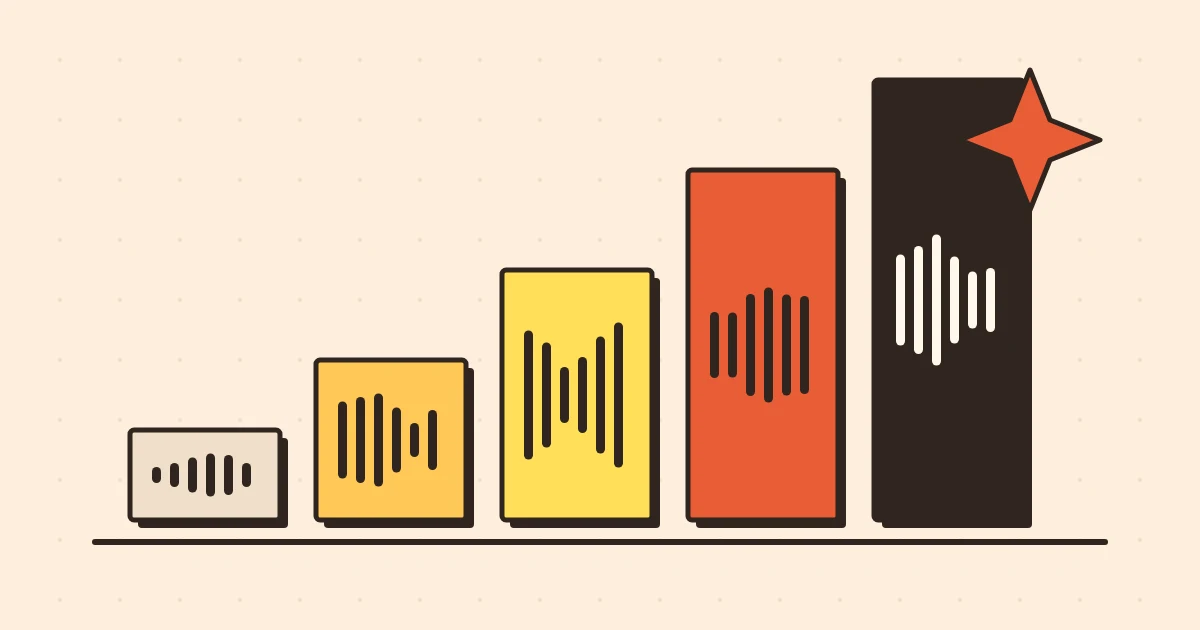
If you've looked at any Whisper-based transcription tool lately, you've probably seen a dropdown with names like tiny, base, small, medium and large, and no real explanation of what they mean. Pick the wrong one and you'll either wait forever or get a transcript full of nonsense.
So here's the honest, no-jargon version of how to choose.
First, what is Whisper?
Whisper is an open speech recognition model released by OpenAI. It was trained on a huge amount of audio from the web, in many languages, and that's why it handles accents, background noise and different kinds of speech better than a lot of older systems. It supports roughly 99 languages and can detect which language is being spoken on its own.
Because it's open, lots of tools now use it. Some run it on servers. Some, like the free mode here, run a Whisper model directly in your browser on your own computer, which is why your choice of model size actually affects what happens on your machine.
The one idea that explains all the sizes
Every Whisper model is the same design at a different size. A bigger model has more "parameters", which is a technical way of saying it has learned more patterns and can make finer distinctions. Bigger usually means:
- More accurate, especially on hard audio.
- Slower.
- A larger file to download the first time.
- More memory and processing power needed.
That's it. There's no secret feature in the large model that the tiny one lacks. It's the same idea with more capacity.
Roughly, from smallest to largest, the family looks like this:
| Model | Rough size | In one line |
|---|---|---|
| tiny | about 39 million parameters | Fastest, least accurate |
| base | about 74 million | Quick, noticeably better than tiny |
| small | about 244 million | The sweet spot for many people |
| medium | about 769 million | Heavy, very good |
| large | about 1.5 billion | Best accuracy, needs serious hardware |
Those parameter counts come from the original release. The files you actually download in a browser are usually compressed versions, so the download sizes are smaller than you might expect, and they differ between tools.
What each one is actually good for
Tiny: for quick checks and weak devices
Tiny is the model you use when speed matters more than polish. It's a good choice on a phone, on an older laptop, or on a slow connection where a big model download would take forever.
It works fine for clear speech with one speaker, like a voice memo to yourself or a short dictated note. It struggles with accents, fast talkers, background noise and unusual words. If you read a tiny transcript and think "this is mostly right but with weird mistakes", that's normal.
Good for: voice notes, short clips, getting the gist of a recording, testing whether a file works at all.
Base: a small step up that's often enough
Base is still quick, but it makes visibly fewer mistakes than tiny. For a clean recording of someone speaking clearly in English, base can be perfectly good, especially if you plan to proofread anyway.
Good for: lectures with a decent microphone, simple podcasts, personal recordings.
Small: where most people should land
If you've got a reasonably modern laptop or desktop and you care about the result, small is the one I'd try first. The jump in quality from base to small is bigger than the jump in waiting time. It copes much better with accents, with names, and with slightly messy audio.
It's heavier, so on a long file it will take noticeably longer, and a phone might struggle. But for interviews, meetings and anything you plan to quote, it's usually worth it.
Good for: interviews, meetings, podcasts, anything where you'd rather fix three typos than thirty.
Medium and large: when accuracy is the whole point
These are the models you reach for with difficult audio. Think heavy accents, noisy rooms, technical vocabulary, or languages that aren't English. They're also where you start to feel the cost: big downloads, lots of memory, and long waits if the computer is doing the work locally.
In a browser, the large models can be too heavy for many devices. That's not a flaw in Whisper, it's just physics. This is one reason some services run the biggest models on their own servers instead, which makes them faster and more accurate but means your file has to be sent somewhere to be processed.
Good for: hard audio, non-English languages, work where mistakes are expensive.
Speed versus accuracy, in actual numbers
I'd love to give you a clean "base is X% more accurate than tiny" figure, but that number depends so much on your audio that any single number would mislead you. A studio-quality English recording might be nearly identical across tiny and small. A crowded cafe recording of two people with different accents could look like two different products.
What holds up reliably is the pattern: the worse your audio, the more a bigger model helps. If your recording is clean, you can often get away with a smaller model. If it's poor, a bigger model is the only thing that will rescue it. And no model can recover words that the microphone never captured.
English-only versus multilingual
Some Whisper releases have English-only versions of the smaller sizes, usually marked with .en. They tend to be a bit more accurate on English than the multilingual models of the same size, because they don't spend capacity on other languages.
If you only ever transcribe English, those can be a nice little boost. If there's any chance you'll have other languages, or mixed languages in one recording, stick with the multilingual ones. Whisper can detect the language automatically, which is handy when you don't know what's in a file.
A simple way to choose
Here's a decision shortcut:
- On a phone or slow connection? Start with tiny.
- Clean recording, one clear speaker, in a hurry? Base is fine.
- Interview, meeting, or anything you'll quote? Use small.
- Messy audio, accents, or non-English? Use the biggest model your device and patience can handle.
- Not sure? Run a one-minute clip through two models and compare. It takes two minutes and answers the question for your actual audio.
That last tip is the most useful one. Cut a minute from the hardest part of your recording, the bit with cross-talk or a noisy background, and test it. Don't test on the easy intro, because everything looks good there.
Things that matter more than model size
Before you go hunting for the biggest model, check these. They usually make a bigger difference:
- Mic distance. Moving the microphone closer beats upgrading the model.
- Background noise. Fans, music and echo hurt every model.
- Overlapping speakers. Nothing handles two people talking at once well.
- File quality. A heavily compressed file that's been through three messaging apps has already lost information.
We've collected more of these in tips for accurate transcripts. A good recording on a small model will beat a bad recording on a large one almost every time.
What happens the first time you use a browser model
If you run Whisper in the browser, the model has to download once. After that your browser keeps a copy, so later sessions start much faster. That means:
- The first run feels slow because of the download, not because of the transcription.
- A bigger model means a bigger first download, so try it on a decent connection.
- If you clear your browser's site data, the model will download again.
None of this is a problem, it's just good to know so you don't think the tool has frozen when it's actually fetching the model.
What about free versus paid?
There's nothing wrong with the free route. A small model running locally gives solid results for a lot of everyday work, and it costs nothing. Paid options generally add speed and the larger models running on faster hardware, which is useful if you have lots of audio or really need the best accuracy. Whether that's worth it depends on how much transcribing you do and how much a mistake costs you.
The short version
Tiny is for speed, base is for casual use, small is the best default, and medium or large are for difficult audio when you can afford the wait. Test a short, hard clip before committing to a long file, and fix your recording setup before you chase a bigger model.
Ready to try it? Open the audio to text tool, pick a model, and run a short clip first. You'll know in a couple of minutes which one suits your audio.